Made for TikTok Shop creators
AI before & after videos from your real footage
Film once, pick a look, and ReelTake makes the believable before and after. Shoot your clips, it auto-cuts and assembles the post-ready video.
Made for TikTok Shop · TikTok · Reels

Real business impact
Over $1,273,430
in tracked TikTok Shop GMV by creators on the ReelTake beta
Selected creator dashboards are shown below. Public receipts currently document $262,200 of the total. · scroll ›
Beta creator A
Jun 1-28, 2026
TikTok Shop dashboard
$125.6K
Commission GMV
7,800
Items sold
$19.1K
Est. commissions
Beta creator A
Jul 1-29, 2026
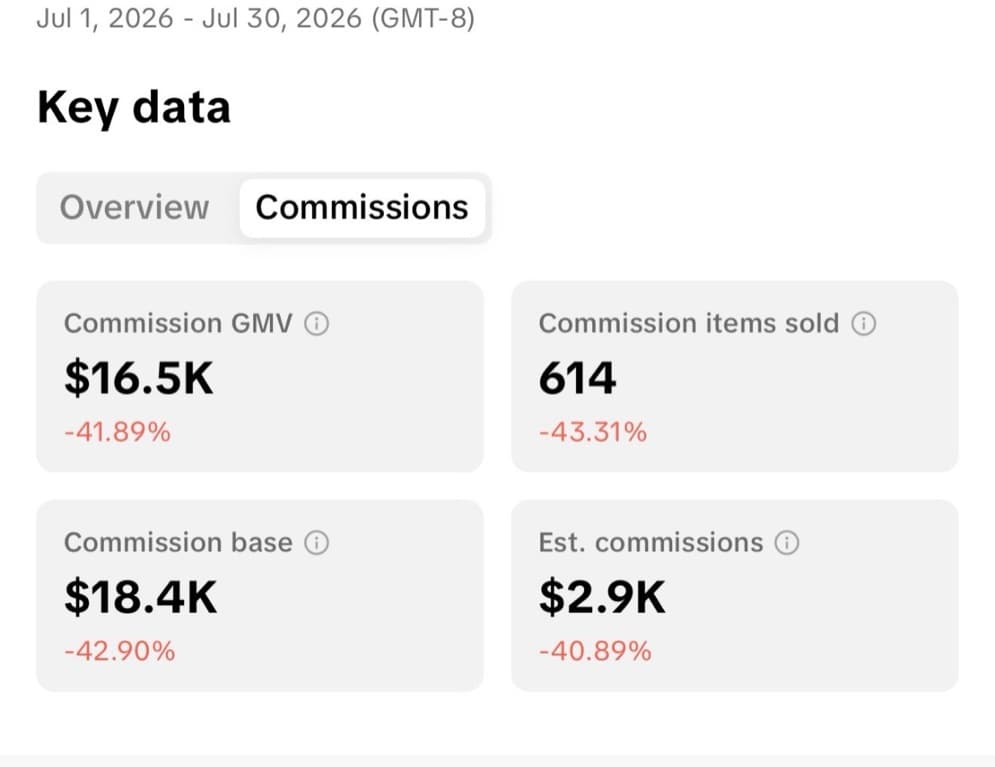
Beta creator B
Jul 1-30, 2026
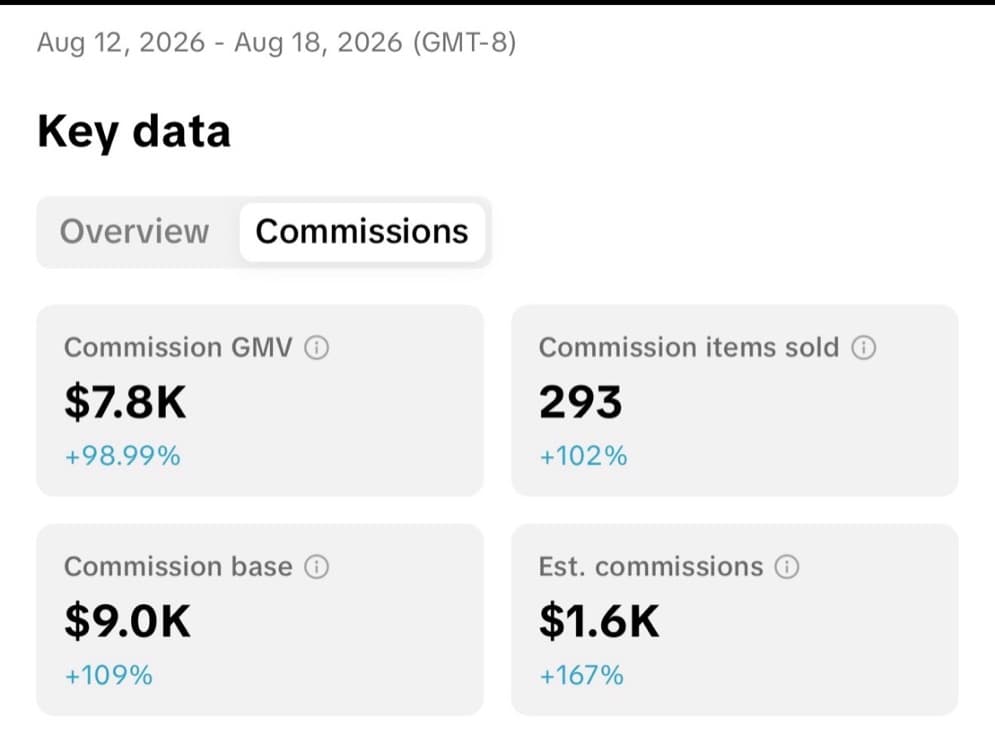
Beta creator (Aug)
Aug 12-18, 2026
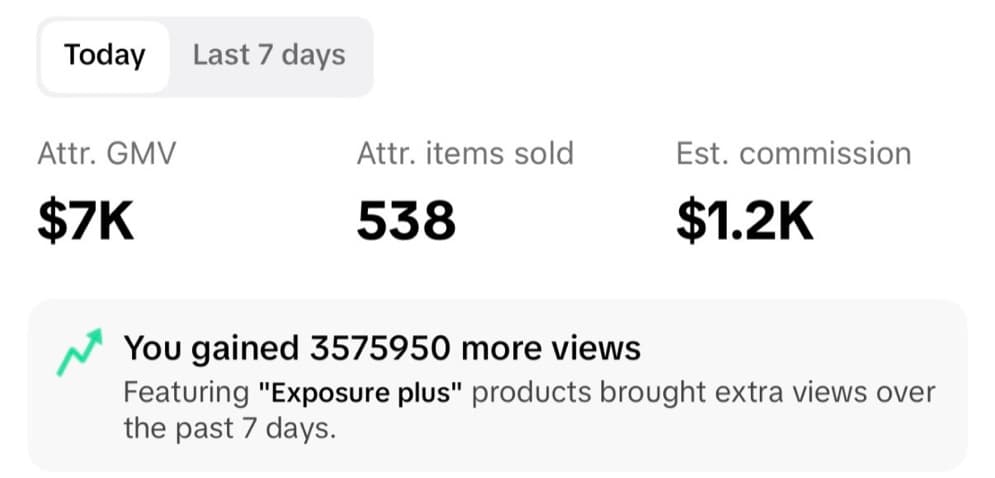
Beta creator
Single day
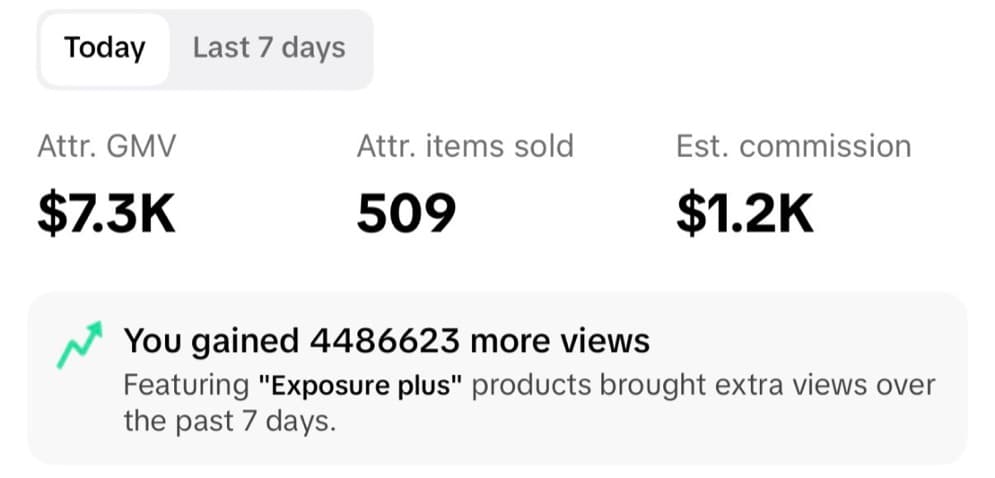
Beta creator
Aug 7, 2026 (single day)
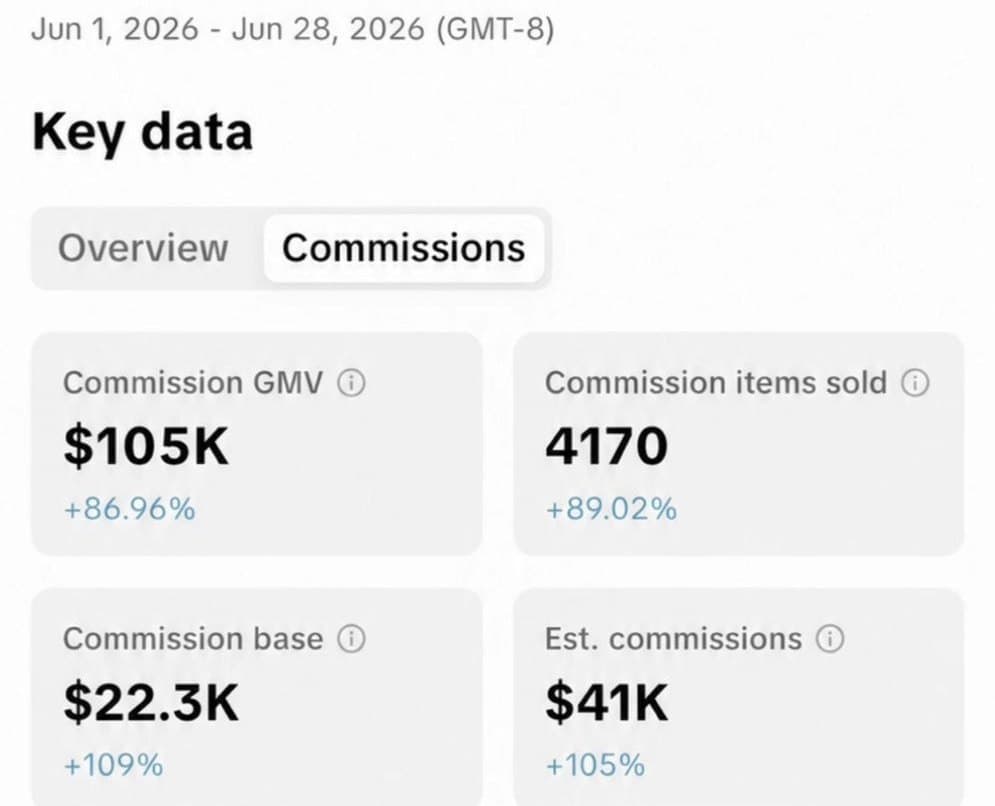
Real numbers
A creator on the ReelTake beta, one month
$105K
Commission GMV in June
4,170
Items sold
$41K
Estimated commissions
+87%
Vs the month before
One creator's real TikTok Shop dashboard, June 2026, posting daily with the ReelTake beta. Your results depend on your content and your products.
Sound familiar
Making UGC that sells is filming, cutting, and reshooting on repeat
The reshoot loop
You flub one line, so you start the whole take over. Eight tries later you have twelve clips and no idea which one was good.
Editing eats your night
Scrubbing a timeline to cut every um, every pause, every false start. The filming took ten minutes. The editing took two hours.
The before/after you can't film
The format that sells on TikTok Shop needs a believable before. You can't reshoot last month's skin, so you skip the post that would have converted.
ReelTake does the cutting and the transformation for you, so filming is the only part left.
How it works
Three steps. Filming is the hard one.
Film your take
Record straight into ReelTake or drop in a clip you already shot. Ramble, restart, mess up all you want.
It cuts, you approve
ReelTake pulls out the ums, the likes, the dead space, and the takes you redid, then groups what's left into scenes. Tap to approve, swap, or bring a take back.
Transform and post
Open the CapCut-style editor for the final touch, add a believable before/after if you want one, then export a post-ready vertical video.
Inside ReelTake
Every screen does one job, and does it for you
Clean Cut
We cut the ums, the likes, and the dead space
ReelTake reads every word of your take, finds the filler words, the silent gaps, and the lines you redid, and pulls them out for you. A 49 second ramble becomes a tight 34 second cut, and you never touch a timeline.
Scene approval
Your take, grouped into scenes you approve with a tap
No scrubbing. ReelTake lays out Scene 1, 2, 3 with the exact words in each, marks what it removed, and lets you bring any take back. Approve them and open the editor with only the good parts on the timeline.



The editor
A real editor when you want the final touch
Your approved scenes land on a full timeline that feels like CapCut. Trim, split, add text and effects, then export a post-ready vertical video. Nothing to relearn.
Before / After
ProYour best angle, without the reshoot
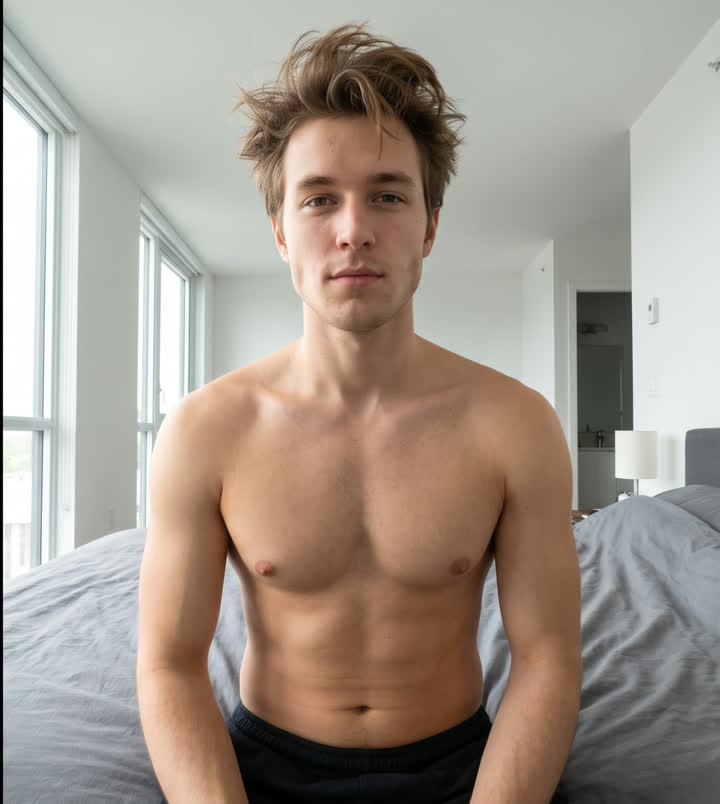
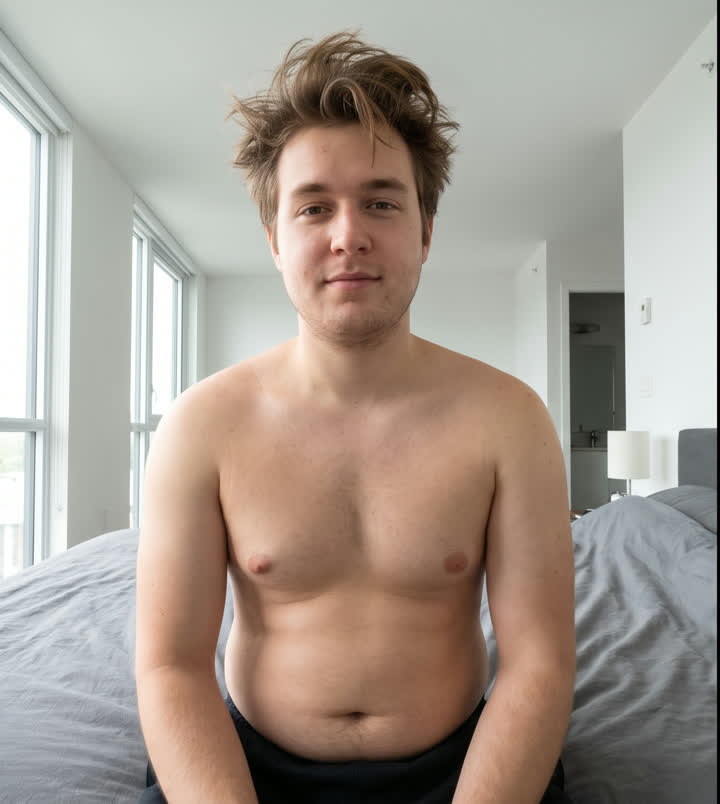
Film yourself once. ReelTake generates the believable before from your real footage: same person, same room, same motion, one thing changed. Skin, body, hair, teeth. Transformation videos are one of the highest-converting formats on TikTok Shop, and this is the one you could never film yourself.
Coming soon: one-tap publishing straight to TikTok and Reels, so you never leave the app.
Before / After · Pro
What you can make with ReelTake
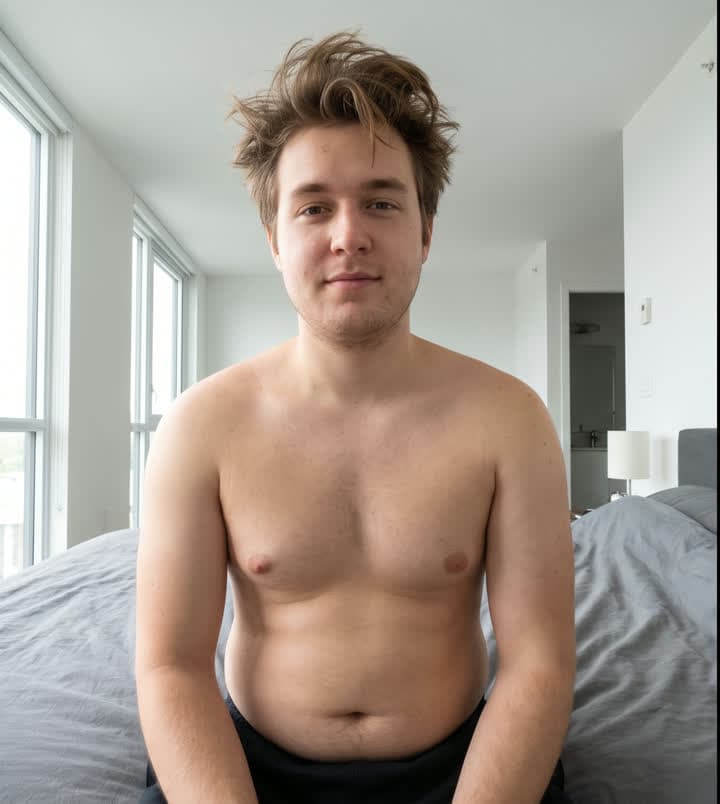
Creator videos drive nearly half of all TikTok Shop sales, and nothing sells like a before/after: the proof is the video. Made from your real footage. Same person, same room, one thing changed. Drag any card.
Slimmer. Same you.
The fitness transformation, from one filming session.


Double chin, gone.
The jawline before/after for skincare and face tools.


Yellow teeth to white.
The whitening-kit before/after that sells the kit.

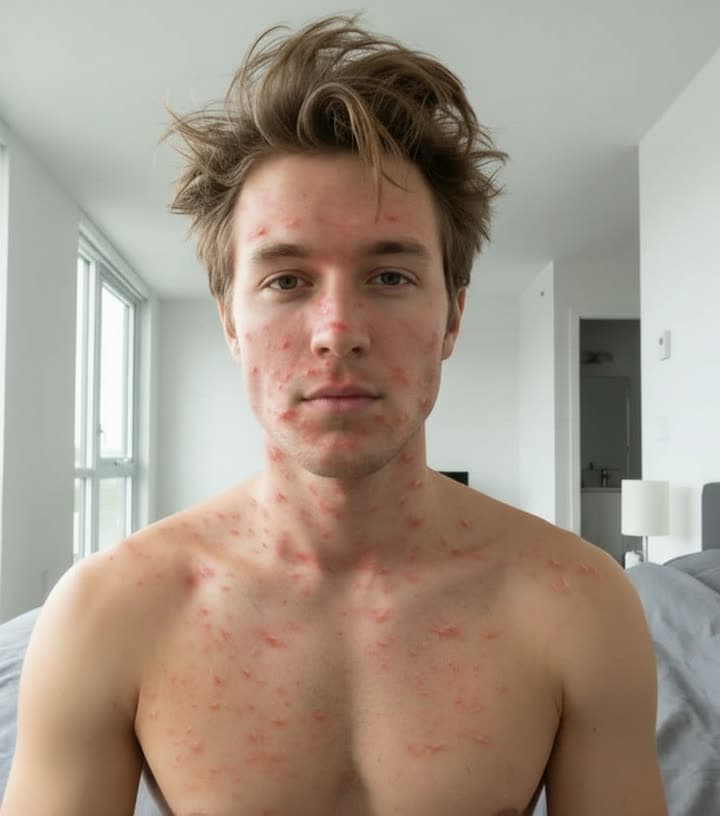
Pimples to clear skin.
The acne-serum transformation, believable up close.
Before/After is a Pro feature and runs on credits. You see the cost before you spend. See a beta creator's real month ›
The math
Every hour you edit is an hour you are not posting
Edit it yourself
- Scrub the timeline for every um and pause
- One video can eat a whole evening
- Editing time is time you are not filming
Free, but it costs you nights
Hire an editor
- Real money per video, every video
- Wait a day or more for the cut back
- Notes, revisions, back and forth
Fast for you, slow and pricey overall
ReelTake
- Filler words and dead space cut automatically
- Scenes ready to approve in minutes
- Post the same day you film
From $49.99 a month, unlimited nights back
Everything in one place
The tools a UGC creator actually uses
Before / After looks
Pick a look on your real footage. Same person, same room, same motion, one thing changed.
Clean Cut
Retakes, filler words, and dead air removed automatically from every take.
Scene approval
Your take grouped into scenes you keep or cut with a tap.
Characters
Older you, Santa, wizard, fitness pro. Your face, your room, your motion.
Credits, not surprises
Generations run on credits. You see the cost before you spend, and preview for less.
Post-ready export
Vertical video sized for TikTok, TikTok Shop, and Reels, ready to upload.
Pricing
Create an account free. Upgrade when it pays for itself.
Starter
Everything you need to cut and post.
- Clean Cut: retakes, filler, and dead air removed
- Scene approval with one-tap swaps and undo
- CapCut-style editor with export
- Post-ready vertical video for TikTok and Reels
Pro
Adds the before/after that sells.
- Everything in Starter
- Before / After: 18 looks, same person, real motion
- 100 generation credits every month
- Preview a look for less before you generate
Ultimate
For creators posting transformations daily.
- Everything in Pro
- 250 generation credits every month
- First access to new looks and packs
- Character pack when it ships: older you, younger you
Cancel anytime. Credits cover the AI generations, and you see the cost before you spend. Every plan starts with a 3-day free trial: card up front, nothing charged until the trial ends, cancel anytime before. Need more credits in a big month? Packs start at $34.99. No countdown timers, no fake discounts.
From the team
We built ReelTake because we were spending more time editing UGC than filming it. The cut should be automatic. The before/after should be believable. And you should never be tricked into a plan.
ReelTake is built by Mi Assist AI, in the open, for the creators actually posting every day. It is new, so it does not have a wall of reviews yet. What it has is a real working editor you can try today, and a promise to keep it honest as it grows.
Try before you pay
Create an account and cut a real video for free. Upgrade only if it earns its keep.
Your footage is yours
You keep your clips and your exports. We are not a stock library and we do not sell your videos.
Honest by design
Clear prices, real credit costs, and a before/after that keeps you looking like you. No dark patterns.
Questions
The honest answers
What does ReelTake actually do?+
You film a talking-head take the messy way you always do. ReelTake transcribes it, removes the retakes, filler words, and dead air, and groups what's left into scenes you approve with a tap. Then you finish in a CapCut-style editor and export a post-ready vertical video. On Pro you can also add a believable before/after.
Does the before/after actually look real?+
Yes. ReelTake generates the other version from your real footage and keeps the same person, the same room, and your real motion. It changes one thing, like skin or body, and leaves everything else alone. It is not a face swap and it does not turn you into someone else.
How much does it cost?+
Creating an account is free and drops you straight into the real studio with a sample take already cut into scenes, so you can try the whole flow before you pay. When you want to bring in your own footage and export, you start a 3-day free trial (card up front, nothing charged until it ends). Starter is $49.99 a month for the full cutting and editing workflow. Pro is $89.99 a month and adds Before/After plus 100 generation credits. Ultimate is $149.99 a month with 250 credits for heavy posters.
What are credits for?+
Credits cover the AI before/after generations, since those cost real compute. You see the credit cost before you spend, and previewing a look costs less than generating the full clip. Run out in a big month? Top-up packs start at $34.99 for 60 credits. The cutting, scene approval, editor, and export never use credits.
What can I make videos for?+
ReelTake is built for UGC creators on TikTok Shop, TikTok, and Reels. It exports vertical video sized for those platforms, ready to upload.
Do I need editing skills?+
No. The cutting and scene grouping happen automatically, and you approve with a tap. The full editor is there when you want the final touch, but you never have to scrub a timeline to get a clean video.
Is there an iOS app?+
ReelTake runs in your browser today, on your phone or desktop. A native iOS app is on the way.
Film it messy. Post it clean.
Cut your next take in minutes and add a before/after that sells. Free to start.
Try the studio free